热力图
1.MchCesium.Heatmap加载热力图
构造函数:
var heatmap = new MchCesium.Heatmap(id, data, option, bounds, needTrans);
参数说明:
id: 设置热力图id
data: 绘制热力图数据
option: 热力图配置
bounds(Object):热力图boundingbox范围
needTrans(Boolean):是否需要gcj转wgs84
option配置属性说明:
| 属性 |
数据类型 |
说明 |
| zIndex |
Number |
显示层级(默认1) |
| radius |
Number |
半径 |
| opacity |
Number |
不透明度 |
| maxOpacity |
Number |
最大不透明度 |
| minOpacity |
Number |
最小不透明度 |
| blur |
Number |
渐变的平滑因子0-1之间的数值 |
实例:
<!DOCTYPE html>
<html>
<head>
<meta charset="utf-8">
<title>cesium-热力图</title>
<script src="https://mhc.ixiera.com/mhc/main.js"></script>
<script src="https://mhc.ixiera.com/mhc/Cesium-1.120/Build/Cesium/Cesium.js"></script>
<script src="https://mhc.ixiera.com/mhc/main.js"></script>
<script src="https://mhc.ixiera.com/mhc/Cesium3DTile.js"></script>
<script src="https://mhc.ixiera.com/mhc/Cesium-1.120/CesiumHeatmap.js"></script>
<style type="text/css">
.MchCesium-mapContainer {
width: 100%;
height: 100%;
position: relative;
overflow: hidden;
}
</style>
</head>
<body>
<div id="containerId" class="MchCesium-mapContainer"></div>
<script type="text/javascript">
// 初始化MchCesium
MchCesium.init('containerId');
// 测试数据
let heatMapData = [{
"x": 104.45926982311602,
"y": 31.833608860886198,
"value": 100
},
{
"x": 104.45925095013386,
"y": 31.834335363637414,
"value": 73
},
{
x: 104.456136982311602,
y: 31.826335363637414,
value: 85
},
{
x: 104.45965095013386,
y: 31.820608860886198,
value: 50
},
];
let bounds = {
west: 104.45465095013386,
east: 104.46436982311602,
south: 31.810608860886198,
north: 31.839335363637414
};
// 加载热力图
var heatmap = new MchCesium.Heatmap('hhh', heatMapData, {
radius: 20
}, bounds, false);
console.log(heatmap);
// 聚焦热力图
MchCesium.flyto(104.45926982311602, 31.833608860886198)
</script>
</body>
</html>
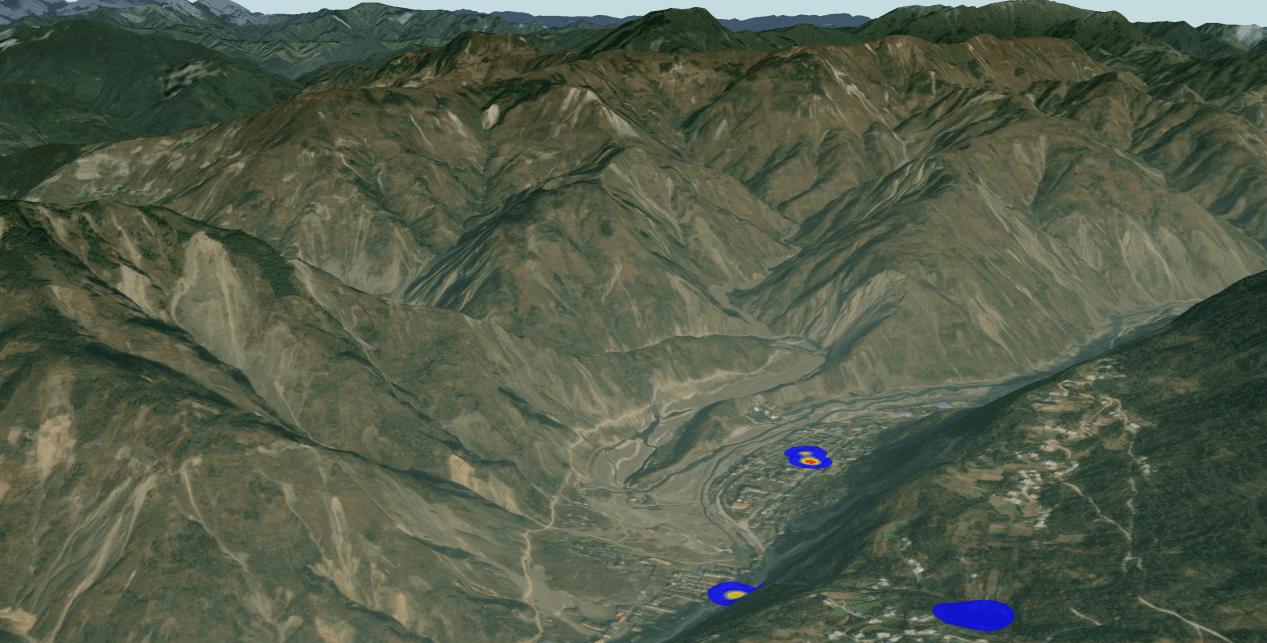
Demo地址:
https://mhc.ixiera.com/html/cesiumDemo/demo_heatmap.html
2.show显示
基本用法:
heatmap.show();
实例:
<!DOCTYPE html>
<html>
<head>
<meta charset="utf-8">
<title>cesium-热力图</title>
<script src="https://mhc.ixiera.com/mhc/main.js"></script>
<script src="https://mhc.ixiera.com/mhc/Cesium-1.120/Build/Cesium/Cesium.js"></script>
<script src="https://mhc.ixiera.com/mhc/main.js"></script>
<script src="https://mhc.ixiera.com/mhc/Cesium3DTile.js"></script>
<script src="https://mhc.ixiera.com/mhc/Cesium-1.120/CesiumHeatmap.js"></script>
<style type="text/css">
.MchCesium-mapContainer {
width: 100%;
height: 100%;
position: relative;
overflow: hidden;
}
#btn_bar {
position: absolute;
bottom: 10px;
left: 20px;
z-index: 1000;
}
#btn_bar button {
padding: 5px;
border-radius: 3px;
margin-bottom: 5px;
}
</style>
</head>
<body>
<div id="containerId" class="MchCesium-mapContainer"></div>
<div id="btn_bar">
<button onclick="showEven()">显示</button>
<button onclick="hideEven()">隐藏</button>
</div>
<script type="text/javascript">
// 初始化MchCesium
MchCesium.init('containerId');
// 测试数据
let heatMapData = [{
"x": 104.45926982311602,
"y": 31.833608860886198,
"value": 100
},
{
"x": 104.45925095013386,
"y": 31.834335363637414,
"value": 73
},
{
x: 104.456136982311602,
y: 31.826335363637414,
value: 85
},
{
x: 104.45965095013386,
y: 31.820608860886198,
value: 50
},
];
let bounds = {
west: 104.45465095013386,
east: 104.46436982311602,
south: 31.810608860886198,
north: 31.839335363637414
};
// 加载热力图
var heatmap = new MchCesium.Heatmap('hhh', heatMapData, {
radius: 20
}, bounds, false);
console.log(heatmap);
// 聚焦热力图
MchCesium.flyto(104.45926982311602, 31.833608860886198)
// 显示
function showEven() {
heatmap.show();
}
// 隐藏
function hideEven() {
heatmap.hide();
}
</script>
</body>
</html>
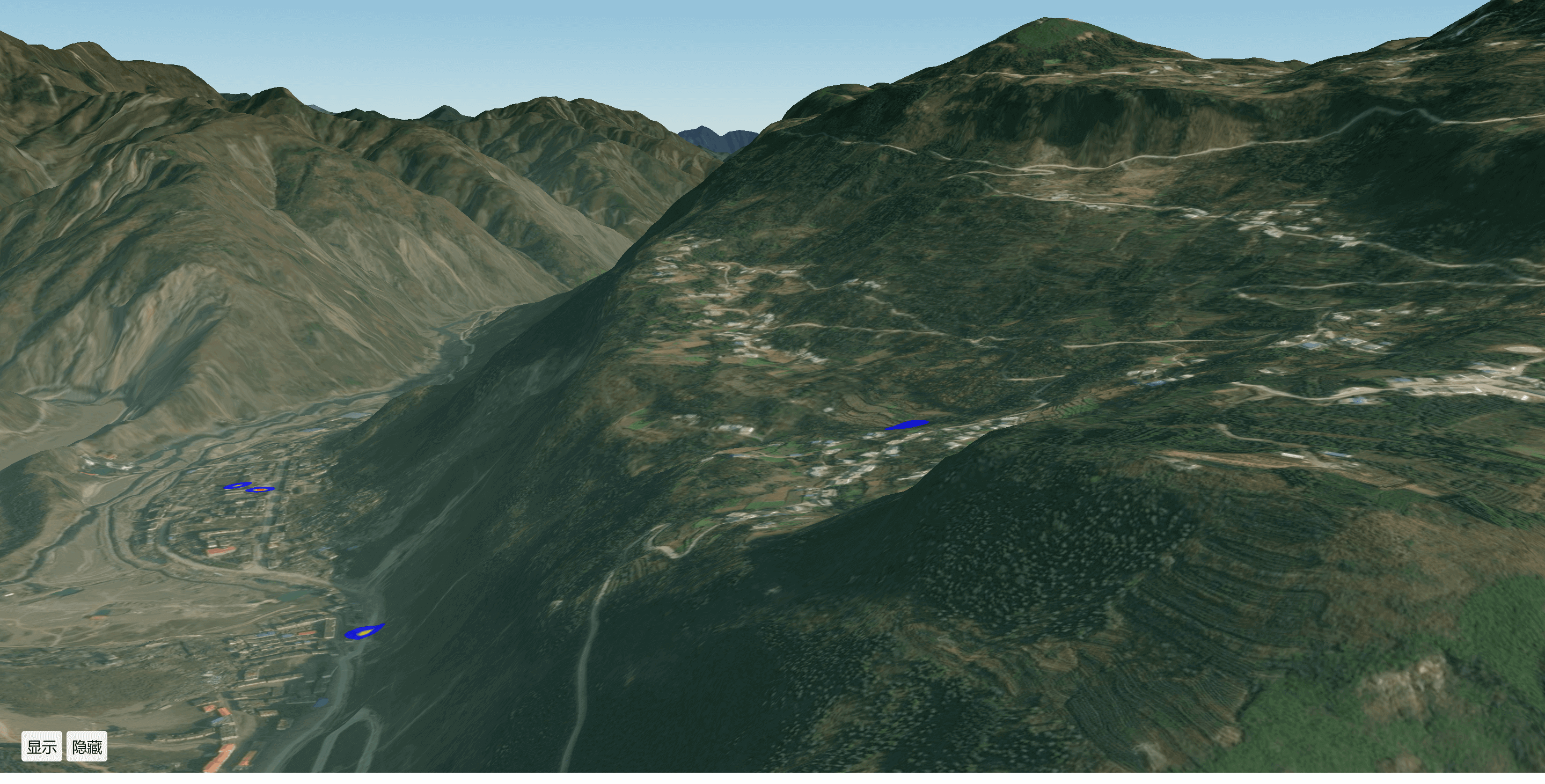
Demo地址:
https://mhc.ixiera.com/html/cesiumDemo/demo_heatmap2.html
3.hide隐藏
基本用法:
heatmap.hide();
实例:
<!DOCTYPE html>
<html>
<head>
<meta charset="utf-8">
<title>cesium-热力图</title>
<script src="https://mhc.ixiera.com/mhc/main.js"></script>
<script src="https://mhc.ixiera.com/mhc/Cesium-1.120/Build/Cesium/Cesium.js"></script>
<script src="https://mhc.ixiera.com/mhc/main.js"></script>
<script src="https://mhc.ixiera.com/mhc/Cesium3DTile.js"></script>
<script src="https://mhc.ixiera.com/mhc/Cesium-1.120/CesiumHeatmap.js"></script>
<style type="text/css">
.MchCesium-mapContainer {
width: 100%;
height: 100%;
position: relative;
overflow: hidden;
}
#btn_bar {
position: absolute;
bottom: 10px;
left: 20px;
z-index: 1000;
}
#btn_bar button {
padding: 5px;
border-radius: 3px;
margin-bottom: 5px;
}
</style>
</head>
<body>
<div id="containerId" class="MchCesium-mapContainer"></div>
<div id="btn_bar">
<button onclick="showEven()">显示</button>
<button onclick="hideEven()">隐藏</button>
</div>
<script type="text/javascript">
// 初始化MchCesium
MchCesium.init('containerId');
// 测试数据
let heatMapData = [{
"x": 104.45926982311602,
"y": 31.833608860886198,
"value": 100
},
{
"x": 104.45925095013386,
"y": 31.834335363637414,
"value": 73
},
{
x: 104.456136982311602,
y: 31.826335363637414,
value: 85
},
{
x: 104.45965095013386,
y: 31.820608860886198,
value: 50
},
];
let bounds = {
west: 104.45465095013386,
east: 104.46436982311602,
south: 31.810608860886198,
north: 31.839335363637414
};
// 加载热力图
var heatmap = new MchCesium.Heatmap('hhh', heatMapData, {
radius: 20
}, bounds, false);
console.log(heatmap);
// 聚焦热力图
MchCesium.flyto(104.45926982311602, 31.833608860886198)
// 显示
function showEven() {
heatmap.show();
}
// 隐藏
function hideEven() {
heatmap.hide();
}
</script>
</body>
</html>
Demo地址:
https://mhc.ixiera.com/html/cesiumDemo/demo_heatmap2.html
4.remove销毁
基本用法:
heatmap.remove();
实例:
<!DOCTYPE html>
<html>
<head>
<meta charset="utf-8">
<title>cesium-热力图</title>
<script src="https://mhc.ixiera.com/mhc/main.js"></script>
<script src="https://mhc.ixiera.com/mhc/Cesium-1.120/Build/Cesium/Cesium.js"></script>
<script src="https://mhc.ixiera.com/mhc/main.js"></script>
<script src="https://mhc.ixiera.com/mhc/Cesium3DTile.js"></script>
<script src="https://mhc.ixiera.com/mhc/Cesium-1.120/CesiumHeatmap.js"></script>
<style type="text/css">
.MchCesium-mapContainer {
width: 100%;
height: 100%;
position: relative;
overflow: hidden;
}
#btn_bar {
position: absolute;
bottom: 10px;
left: 20px;
z-index: 1000;
}
#btn_bar button {
padding: 5px;
border-radius: 3px;
margin-bottom: 5px;
}
</style>
</head>
<body>
<div id="containerId" class="MchCesium-mapContainer"></div>
<div id="btn_bar">
<button onclick="removeEven()">销毁</button>
</div>
<script type="text/javascript">
// 初始化MchCesium
MchCesium.init('containerId');
// 测试数据
let heatMapData = [{
"x": 104.45926982311602,
"y": 31.833608860886198,
"value": 100
},
{
"x": 104.45925095013386,
"y": 31.834335363637414,
"value": 73
},
{
x: 104.456136982311602,
y: 31.826335363637414,
value: 85
},
{
x: 104.45965095013386,
y: 31.820608860886198,
value: 50
},
];
let bounds = {
west: 104.45465095013386,
east: 104.46436982311602,
south: 31.810608860886198,
north: 31.839335363637414
};
// 加载热力图
var heatmap = new MchCesium.Heatmap('hhh', heatMapData, {
radius: 20
}, bounds, false);
console.log(heatmap);
// 聚焦热力图
MchCesium.flyto(104.45926982311602, 31.833608860886198)
// 销毁
function removeEven() {
heatmap.remove();
}
</script>
</body>
</html>
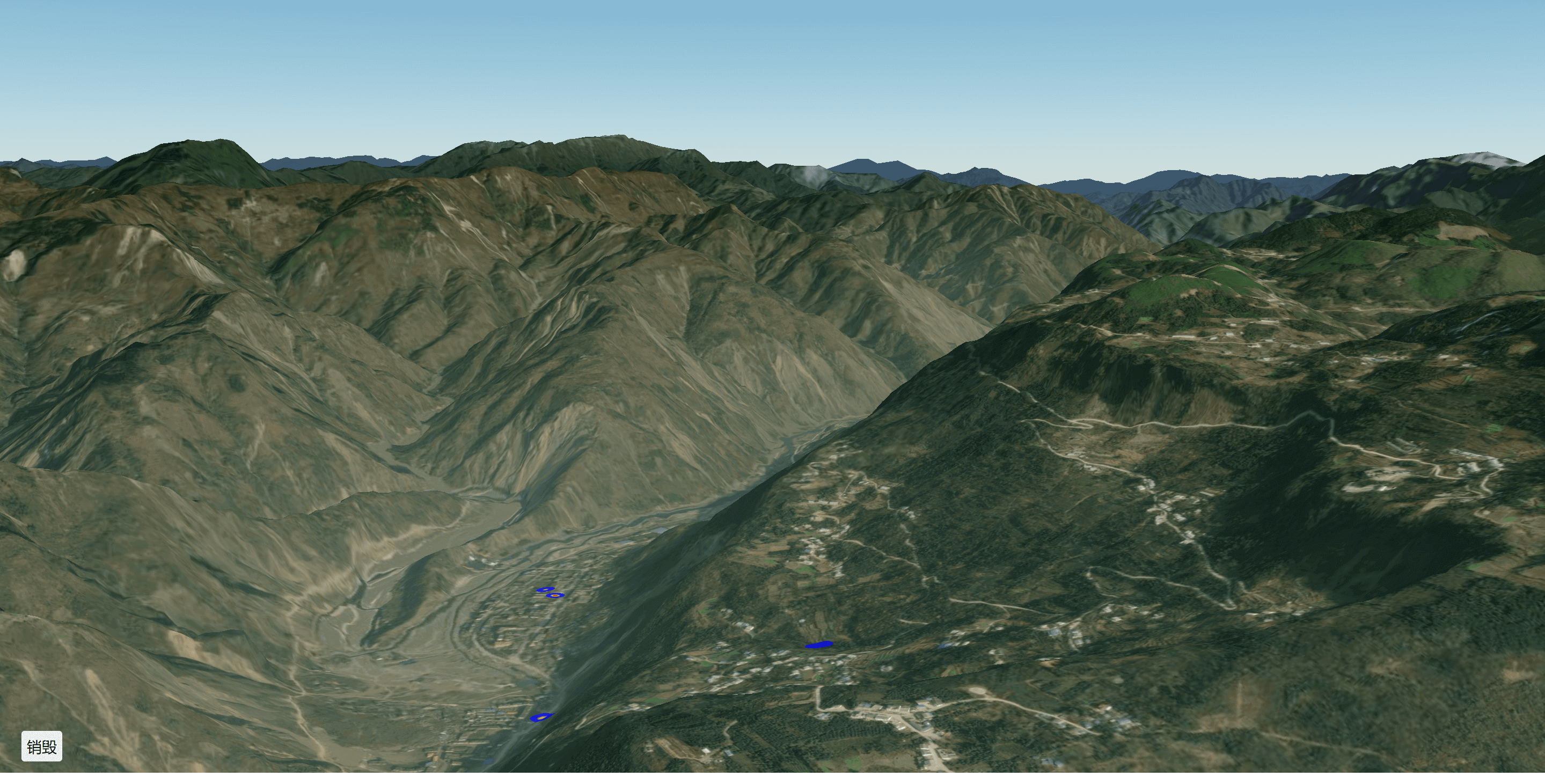
Demo地址:
https://mhc.ixiera.com/html/cesiumDemo/demo_heatmap3.html


 返回顶部
返回顶部

 热线电话
热线电话

 微信
微信
 扫一扫
扫一扫